A complete home technology plan connects television, internet and security decisions before installers start drilling. In Betty's Bay, the plan also has to account for mountain wind, salt spray, dense fynbos, long narrow plots and homes that may be empty outside holiday periods.
The goal is not to put every device on one system. It is to give each service the right cable, power, location and maintenance access while avoiding duplicated routes. DStv, Openview, an aerial, WiFi and CCTV can coexist when the layout is decided as a whole.
Begin with rooms and daily use
Mark the main television, bedroom televisions, work area, entertainment spaces, entrances, parking and any separate cottage. Note which people use each space and whether guests need simple controls. This room map is more useful than starting with a list of products.
Decide which services are essential during an outage. A family may prioritise internet and camera recording over television. A guesthouse may need network coverage in every occupied room. The priority list guides cable and backup power choices.
Plan the incoming services
Identify where internet, satellite and terrestrial aerial signals enter the building. Keep the main router, network switch, camera recorder and distribution equipment in an accessible, ventilated position with suitable power. A locked cabinet can protect equipment, but it must not trap heat or block WiFi that is expected to radiate from inside it.
Do not place all wireless coverage responsibility on the internet provider's router. Its best location for the incoming line may be a poor location for the rest of the house.
Design television around actual viewing
A DStv installation needs a clear satellite path, secure dish position and cable to the viewing equipment. Explora and XtraView must be planned for compatible hardware and the correct links between rooms.
Openview and a TV aerial provide different free to air reception choices. They are not automatic backups for every DStv channel. If more than one source feeds a television, label the inputs and give users short instructions.
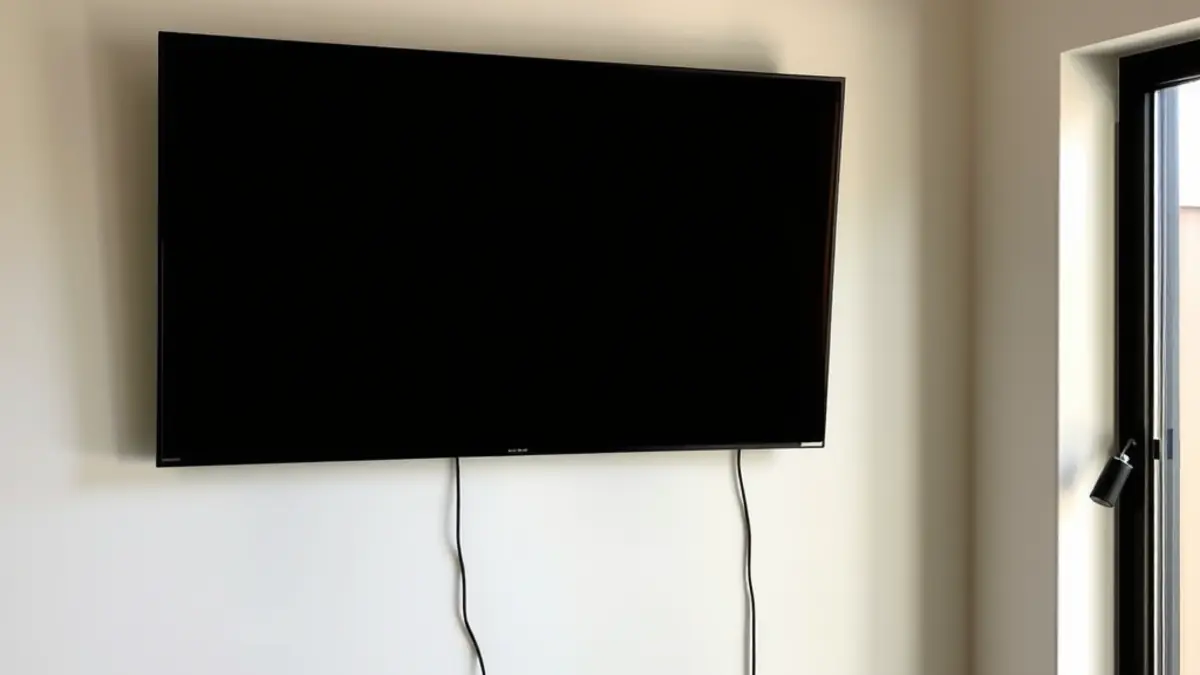
Wall mounted televisions need power, signal and network outlets in the right place. Confirm bracket type, viewing height and equipment location before mounting. A neat screen with a decoder balanced on a shelf below is not a finished plan.
Build WiFi coverage from a survey
Walk through the property and list where reliable connection is required. Thick walls, level changes and long passages weaken wireless signals. Exterior decks and cottages may need their own access point rather than a repeater at the edge of poor coverage.
Run network cable to fixed access points and cameras where practical. Cable gives those devices a predictable path and reduces wireless congestion. Use outdoor rated materials for exposed routes and protect connections from water and salt.
Place cameras for useful evidence
A camera plan should define the area each camera must see, both by day and at night. Entrances, approaches and vulnerable exterior areas usually matter more than wide scenic views. Fynbos movement can produce excessive alerts, so test detection zones after installation.
Choose where recordings are stored and who may view them. Use unique passwords, current firmware and controlled user accounts. Remote viewing depends on the network; local recording can be designed to continue when the internet is unavailable.
Coordinate roof and exterior hardware
Survey the building exterior once for dish, aerial, camera and cable positions. Each device needs its technical line of sight, but mounting points should also consider structure, wind, salt exposure, maintenance access and drainage.
Baboons may cross roofs in Betty's Bay. Their presence is one factor in equipment placement and cable support, not a reason to use harmful deterrents or assume future damage. Avoid dangling loops and unnecessarily exposed junctions. Follow local wildlife guidance for the property as a whole.
Create a cable schedule
| Destination | Possible services | Planning note |
|---|---|---|
| Main lounge | Satellite, aerial, network | Allow for television, decoder and streaming device. |
| Bedrooms | Satellite or network | Install only where regular viewing is expected. |
| Home office | Wired network and WiFi | Prioritise stable data connection. |
| Entrances | CCTV and intercom network | Plan power, angle and weather protection. |
| Equipment point | Router, switch, recorder, distribution | Provide ventilation, labels and service access. |
Record both ends of every cable and leave a simple diagram. Spare cable capacity to important points can be inexpensive during construction and difficult to add after plastering.
Decide on power and recovery
List each power supply and the equipment it serves. Use suitable surge protection and ask a qualified provider to size any backup system. Test the sequence after a simulated outage: internet connection, access points, cameras, recorder and entertainment devices may restart at different speeds.
For an empty home, make sure an authorised person can reach the router and recorder without moving furniture or opening an undocumented cabinet. Remote systems still need a local recovery path.
Stage the work in a sensible order
- Survey rooms, roof positions, existing cables and power.
- Agree on the service plan and cable schedule.
- Install hidden cable and power routes before finishes.
- Mount exterior equipment and terminate indoor points.
- Configure DStv, WiFi and cameras.
- Test each room, camera view and outage recovery procedure.
- Hand over labels, passwords through a secure method, and a basic diagram.
Renovation schedules change, so record unfinished points and protect cable ends. Do not let later trades plaster over boxes or cut unidentified cables.
Test the plan as a user would
Sit at the television and change sources. Join WiFi in each required area. View camera playback rather than only the live screen. Turn power off and confirm what returns. Ask a person who did not configure the system to follow the instructions.
This user test catches small failures: the wrong remote, an unreachable plug, an unlabelled input or an app account held only by one contractor.
Maintain one property record
Keep the diagram, device models, installation dates and ground level roof photos together. Update it when equipment changes. For holiday rentals, create a short guest sheet and keep technical administration separate.
Planning a new build, renovation or system clean-up? Request one survey for television, WiFi, CCTV, aerials, cable routes and remote recovery before separate installations compete for the same space.
Related services for Betty's Bay properties
A good plan may involve one service or several. Use these pages to match the work to the problem: new DStv installation, DStv repairs, dish alignment, Explora installation, XtraView, decoder and dish relocations, TV mounting, commercial systems, and communal systems. We can also plan Openview, CCTV, home WiFi networks, and TV aerials.
Tell the installer which rooms need a picture, where people normally use WiFi, whether the house is occupied year round, and who must be able to check the property while it is empty. That short brief prevents separate systems from being installed in ways that compete for the same cable routes, roof space or power points.
Frequently asked questions
Can DStv, Openview and a TV aerial feed the same television?
Yes, when the television has suitable inputs and the systems are installed correctly. They remain separate services, so label the source and remote controls clearly.
Is mesh WiFi always the best choice?
No. Mesh can suit some homes, but wired access points are often more predictable. The right design depends on walls, distances, available cable routes and required coverage.
Should CCTV cameras use WiFi or cable?
Wired network connections are usually more stable for fixed cameras when cable is practical. WiFi cameras may suit selected positions, but still need reliable power and coverage.
Can all equipment share one backup power supply?
Only if the supply is correctly sized and compatible with the connected devices. List the required runtime and have power equipment specified safely.
When should this plan be made during a renovation?
Make it before ceilings close, walls are plastered and television positions are fixed. Hidden cable and outlet changes are easier before finishes are complete.